
Managing building permissions without a granular role‑based system introduces a level of operational risk that many property teams underestimate. What starts as a simple setup with shared logins or overly broad access can quickly become a compliance nightmare when resident privacy and accountability are on the line.
From tracing who opened which door to revoking a temp worker’s access after a job is done, the challenge is not just about convenience. It is about ensuring every action is traceable, every responsible person is identifiable, and every resident’s data stays protected.
That is where the DNAKE cloud platform’s individual building management rights become essential. By allowing general administrators to assign specific building management rights to specific individuals, the platform delivers clear accountability, stronger security, and faster daily operations – all while keeping compliance audits simple and your property portfolio truly scalable.
In this blog post, we will see how to create building management accounts, and assign building management role to these individuals, while editing the building management permissions.
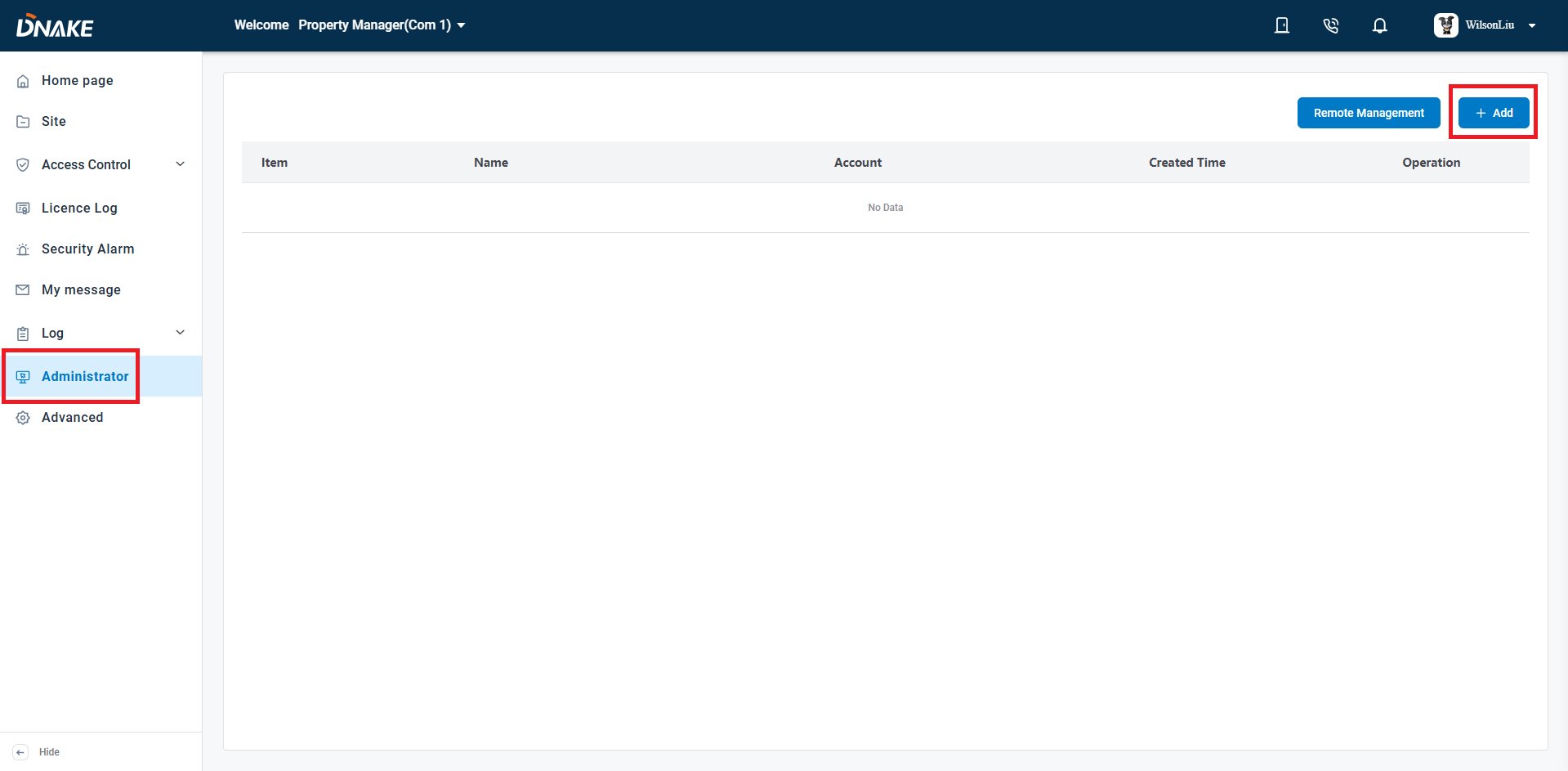
Step 1 Navigate to the Property Manager level of the DNAKE cloud platform, then select the 'Administrator' option to access the building administrator tab. Click 'Add' to create a new building administrator.
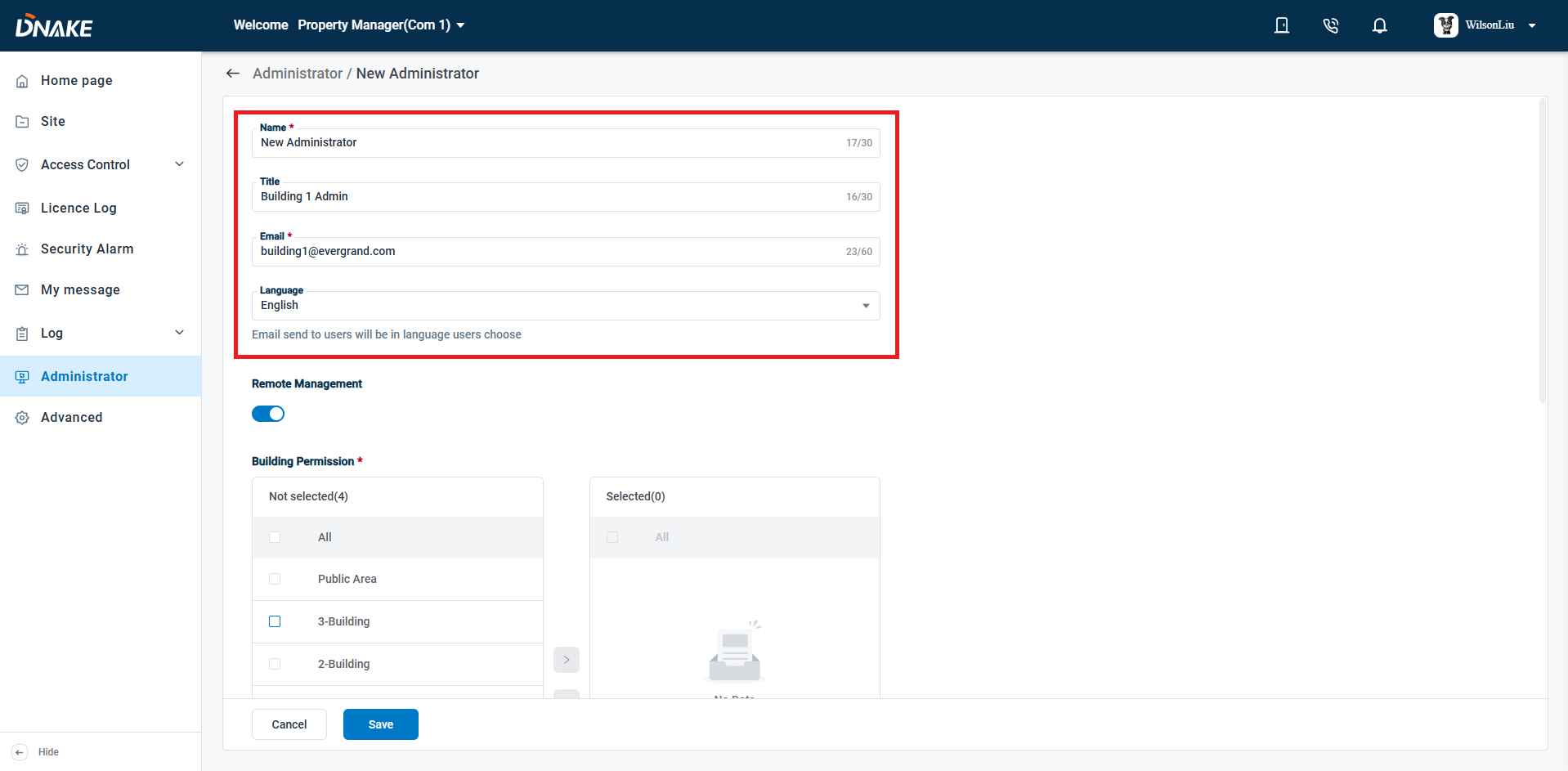
Step 2 Input the personal details (Name, Title, Email, Language) for the administrator you want to designate as the building manager.
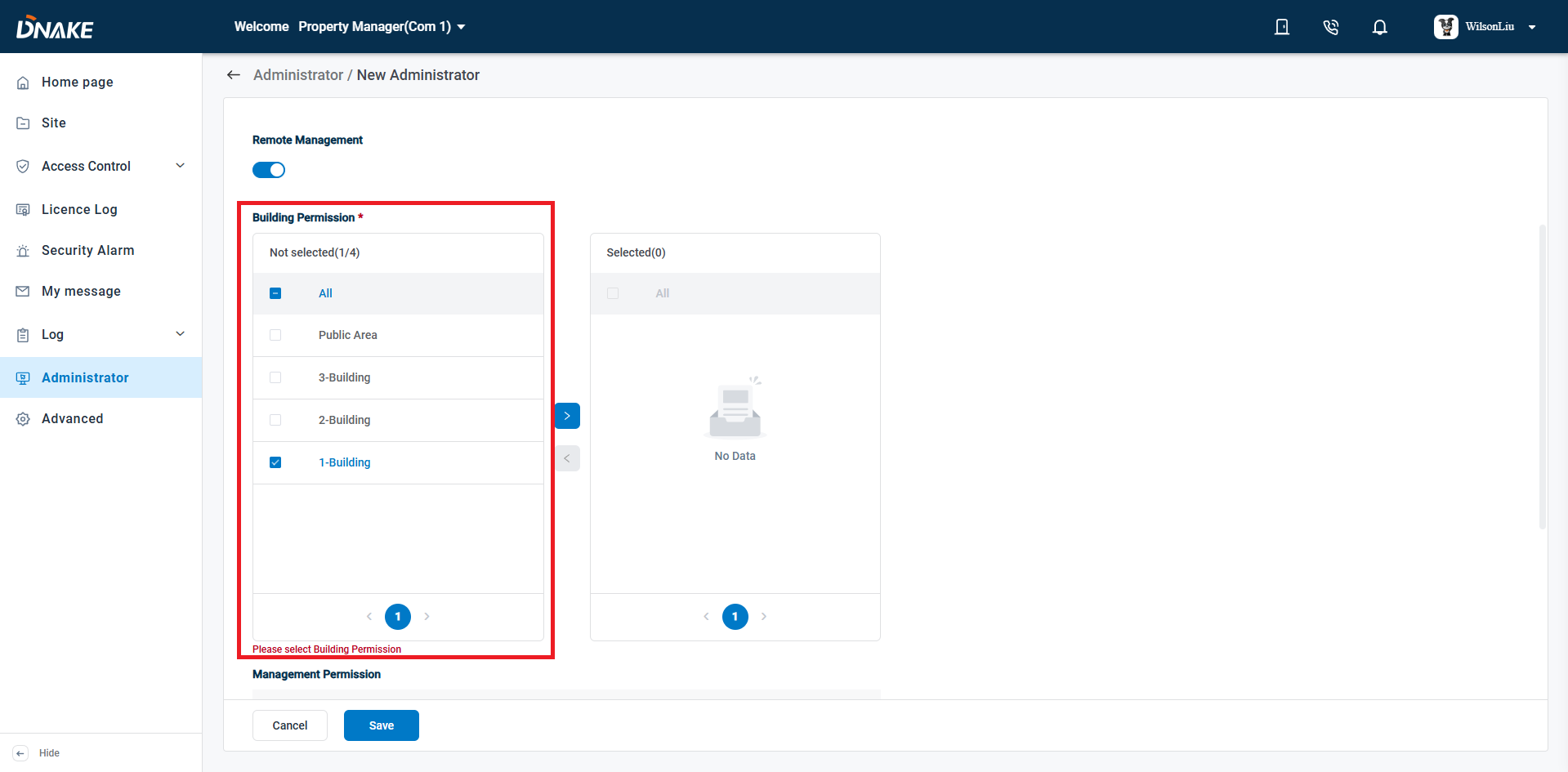
Step 3 Assign the building(s) you want the new building manager to oversee. The DNAKE cloud platform allows you to assign one or multiple buildings to each manager, offering great flexibility in managing your properties.
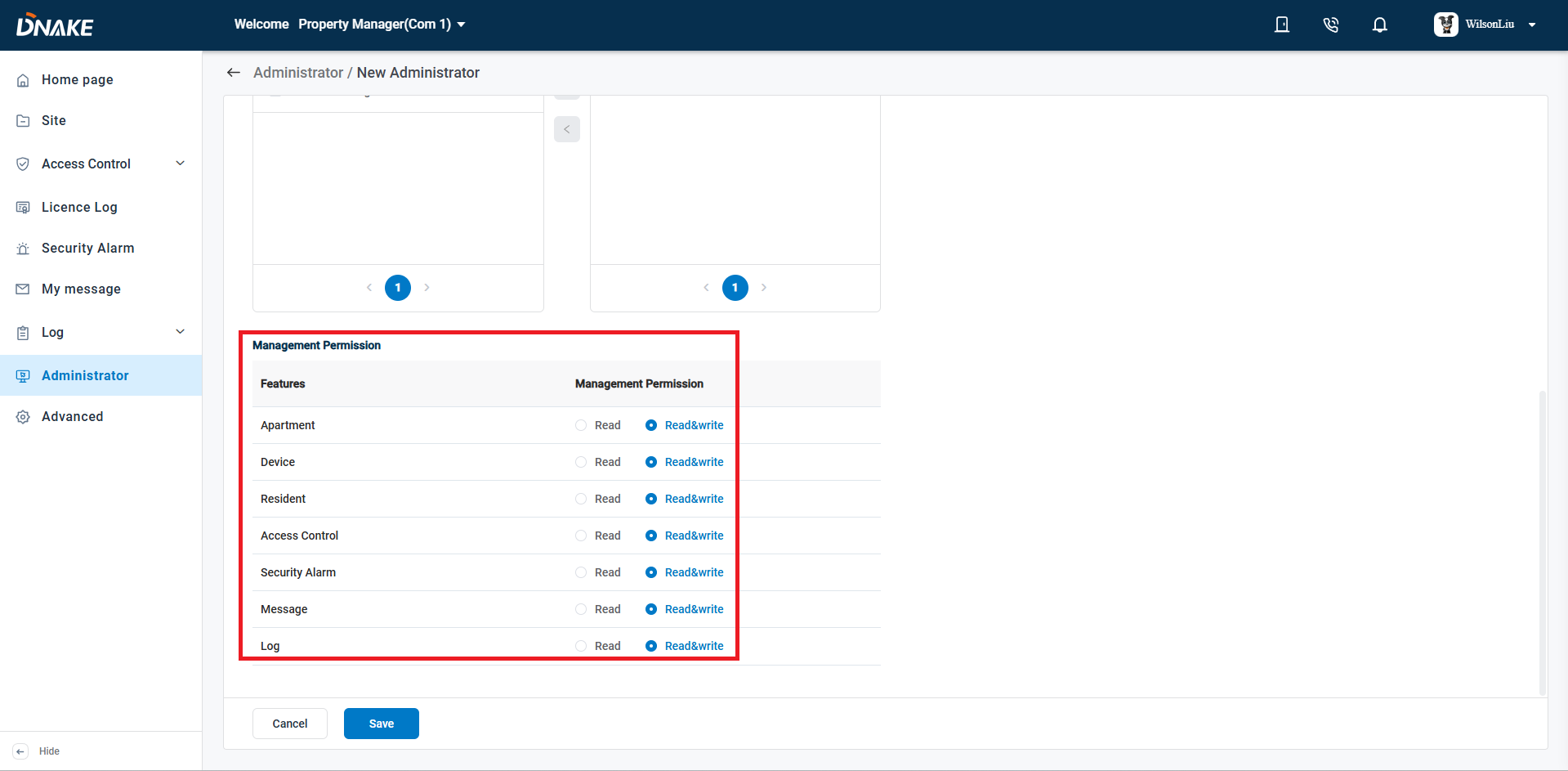
Step 4 Set the management permissions for this building administrator—either "Read" or "Read and Write". For frontline personnel like security guards, "Read" permission is more than sufficient. For roles that involve more complex security operations, granting both "Read and Write" is more appropriate.
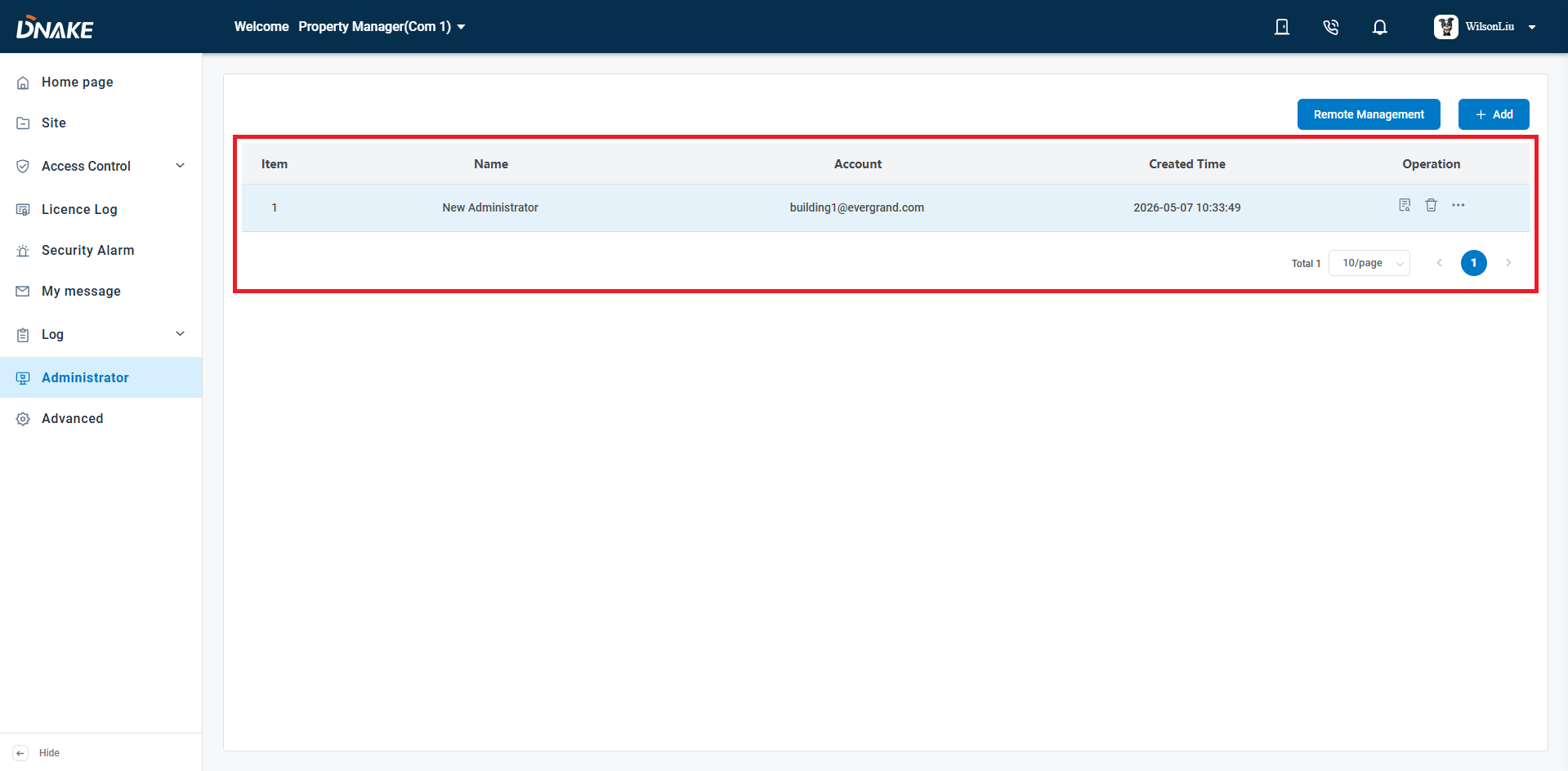
Step 5 Upon saving all settings, the newly added building administrator will be displayed on the main page. Management permissions can be adjusted at any time using the Edit button located on the right side of the panel.
Managing multiple buildings doesn't have to mean tangled permissions or compromised security. As we've walked through, the DNAKE cloud platform makes it straightforward to assign individual building management rights to the right people—whether they need read‑only access for daily patrols or full read/write control for advanced security tasks.
By creating dedicated building administrator accounts, you gain:
- Clear accountability – Every action is traceable to a specific individual.
- Stronger resident privacy – Access is granted on a strict need‑to‑know basis.
- Operational flexibility – Assign one or multiple buildings to a single manager, and adjust permissions anytime with a single click.
- Simplified compliance – Audit logs and role‑based controls keep your property portfolio inspection‑ready.
The result? A scalable, secure, and efficient building management experience—without the risks of shared logins or overly broad access.