


DNAKE has officially announced the launch of Cloud Platform 3.0. This major update features rental scenario optimization, license system restructuring, community and apartment creation page upgrades, and a new online payment system, aiming to deliver smarter and easier workflows for smart building projects.
Key Highlights of DNAKE Cloud Platform 2.1.0–2.3.0
1. Rental Scenario Optimization
For rental scenarios, DNAKE Cloud Platform 3.0 adds a new "valid time" setting. When the lease ends, access and account permissions are automatically deactivated, eliminating manual work. Additionally, the Cloud Platform now features deep API integration with Rent Manager, allowing seamless syncing of tenant data and eliminating manual entry.
2. License Optimization
To enhance user experience, the new licenses are streamlined into three types: APP Call (no monitor distinction, per apartment), Landline Call (per apartment or per door station), and Remote Management (per site). Four combination options are available to fit various scenarios, from office/commercial to communities.

3. Community and Apartment Creation Page Optimization
The new community creation flow is split into three clear steps: basic information, community settings, and permissions configuration. Apartment creation is no longer capped by license count, allowing users to build rooms first and buy licenses later.
4. Online Payment System
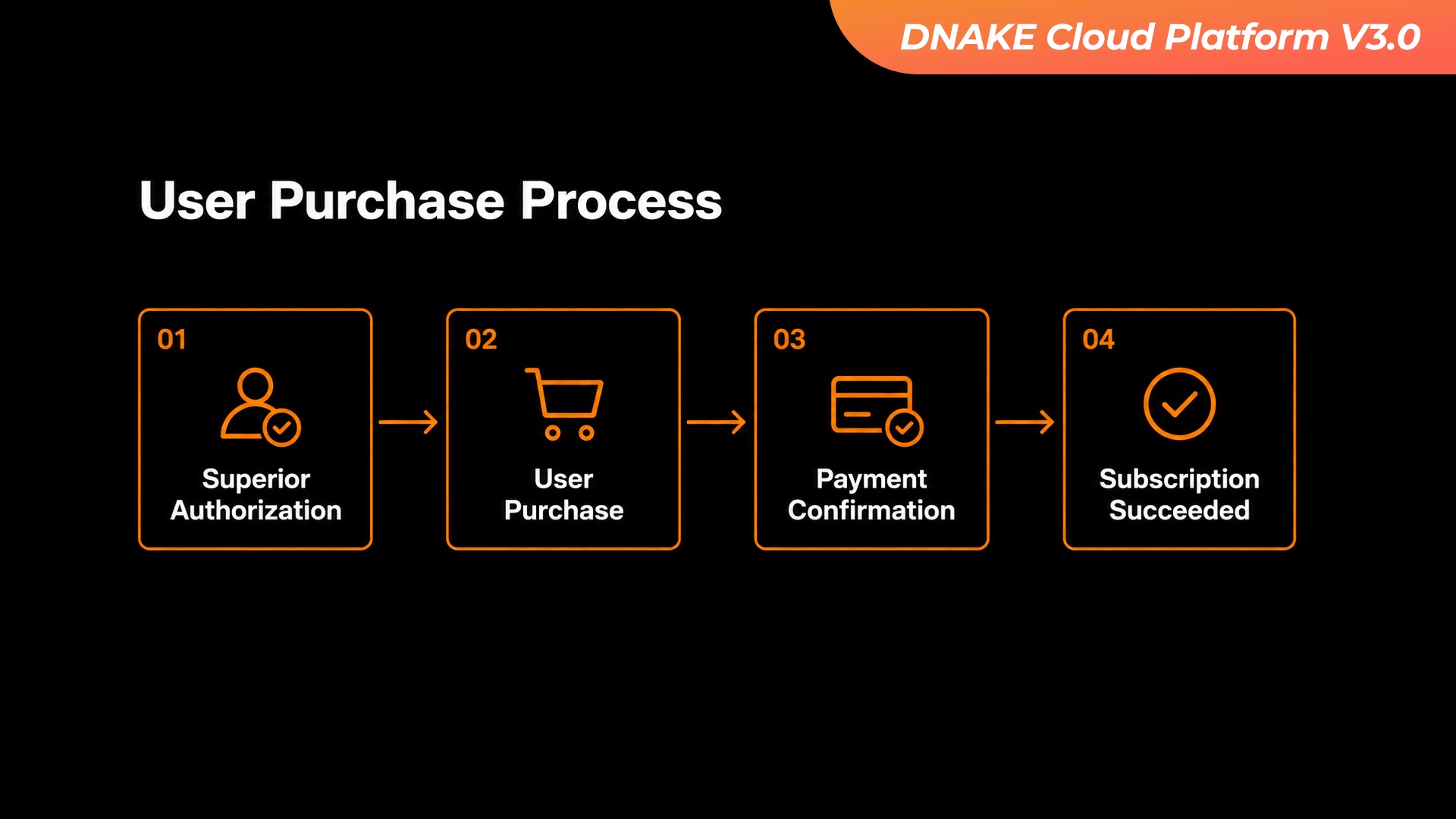
Online payment is now supported in DNAKE Cloud Platform 3.0.The cloud platform offers three product types: license, integration (e.g., Rent Manager), and device. With the required permissions, users can purchase items directly in the Billing-Marketplace, pay securely via PayPal or credit card, and licenses are automatically credited and assigned to the corresponding accounts or projects, simplifying the purchasing process.
DNAKE Cloud Platform 3.0 is designed to make your smart building projects easier than ever with smarter access, simpler workflows, and more powerful tools. If you are an existing user, make sure to update to the latest version. For more details, watch our feature walkthrough video or contact us today.
A full product walkthrough and feature demonstration video is available on DNAKE’s official YouTube channel: https://www.youtube.com/watch?v=nSzv3TmwXEM
For the DNAKE Cloud Platform User Manual V3.0.1, visit the DNAKE Cloud Service: https://www.dnake-global.com/cloud-service/


